
CONFERENCE & VOTING SOFTWARE
Amy Chamber
A clearer view of
meetings and voting.
Equipment status, meeting operation and voting results in one clear workspace alongside your conference system.
New enquiry or existing account.
Two clear ways to begin.

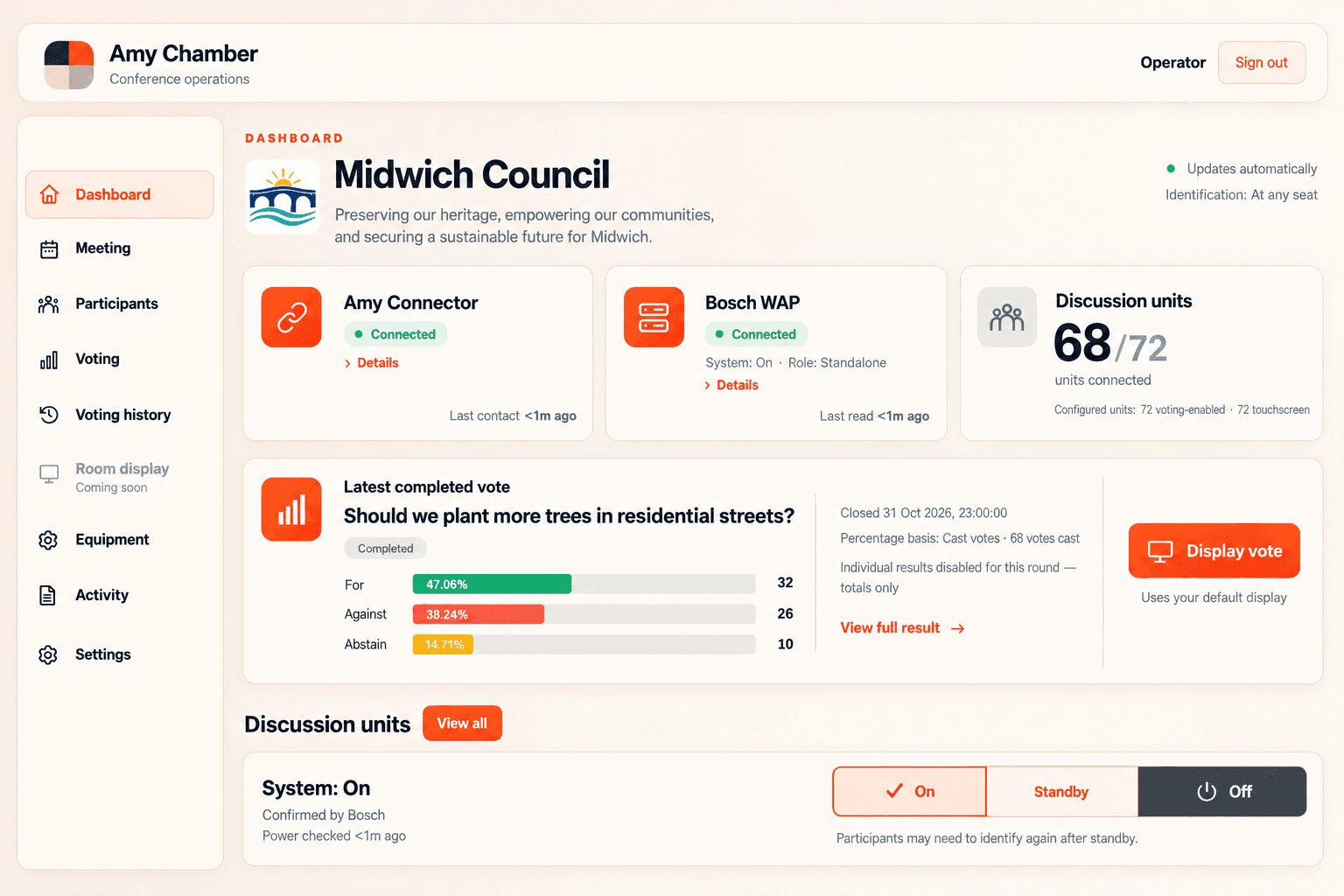
Know the room.See equipment and connection status.
Follow the meeting.Keep the vote and its result in view.
Return to the record.Revisit saved voting results.
DURING THE MEETING
A vote the room
can follow.
Bring the question and the outcome into focus, with a clear view for the person operating the meeting.
The room display shows one way a completed result could be presented to an audience.
Talk to us about your setup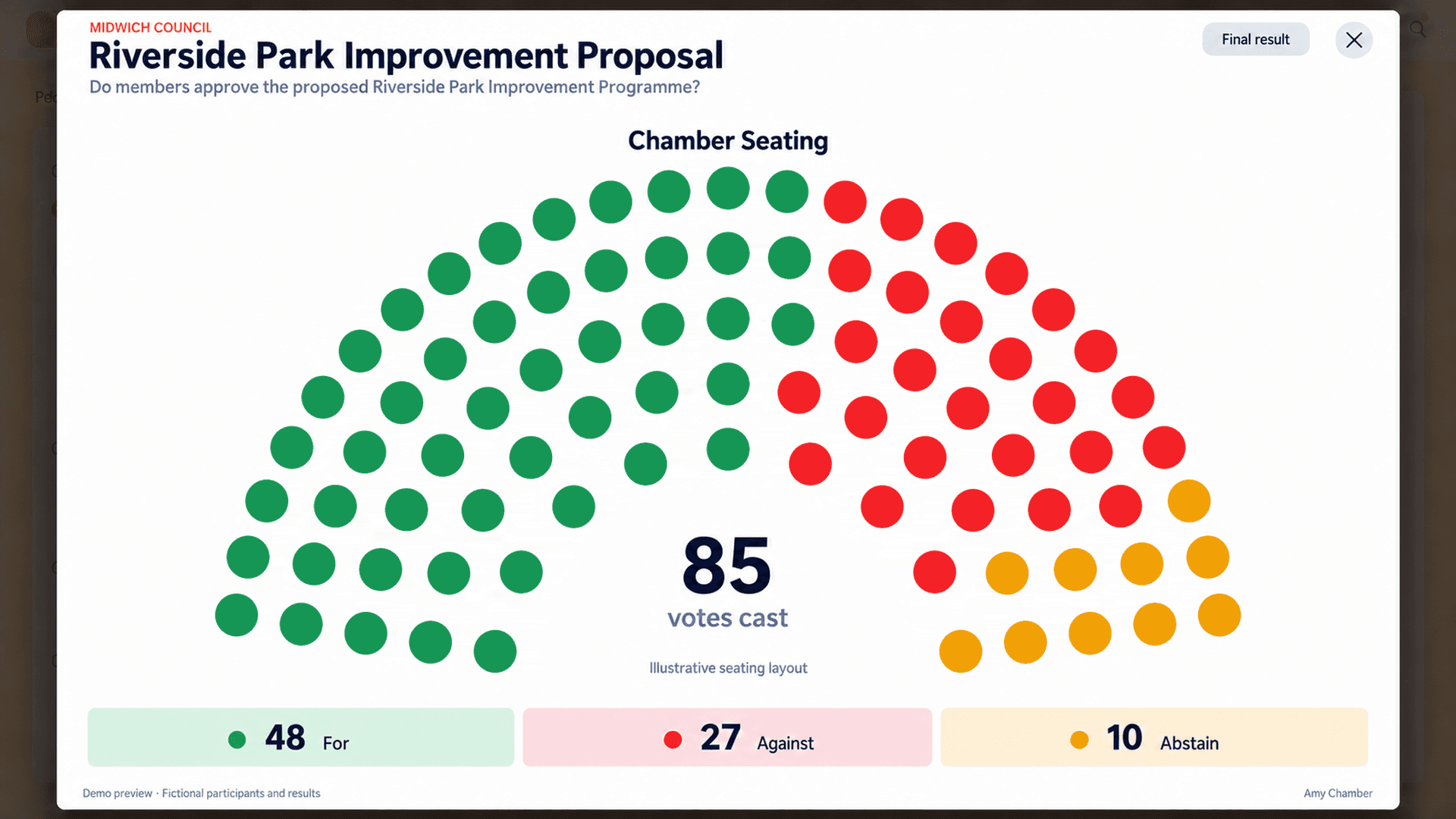
AFTER THE MEETING
The meeting ends.
The record stays.
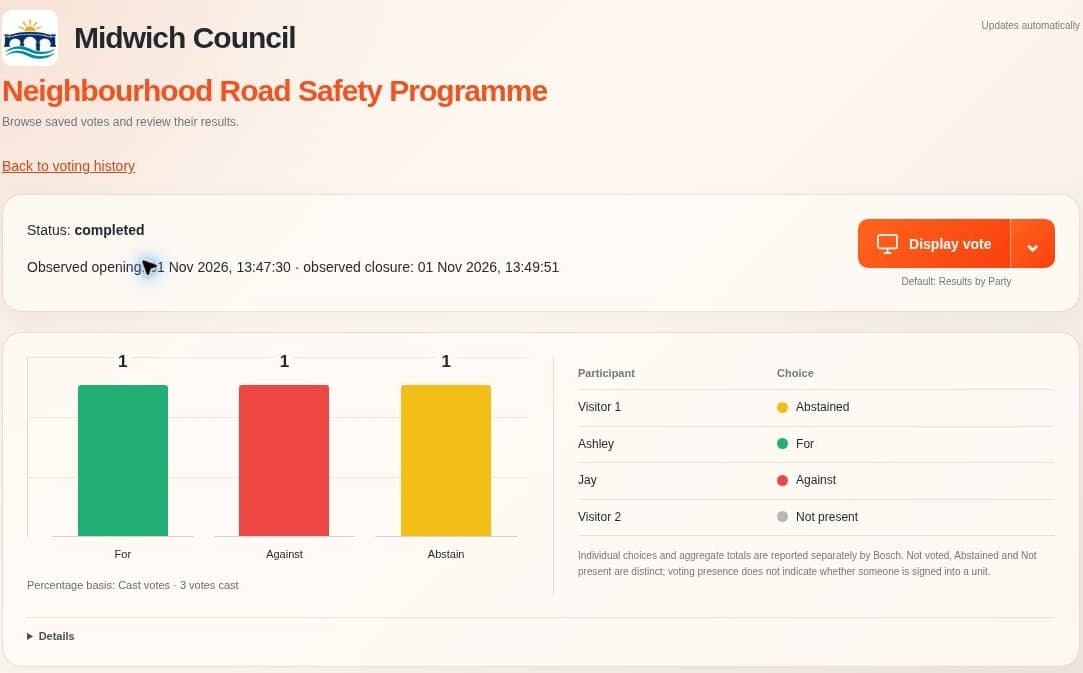
Open a saved vote, revisit the question and check the recorded outcome without piecing it together from separate notes.
- 01Reopen a completed vote.
- 02Review its totals and recorded choices.
- 03Keep the result available to revisit.
A useful reference for the conversation that comes next.
LET’S START WITH YOUR ROOM
Tell us about
your chamber.
Start with what you have.
You don’t need a complete specification. A few notes about your system, or some rough photos, are a useful place to begin.

A conversation with our team.
We’ll talk through your setup and what you want to improve.